
What if you could update your seasonal menu across all five locations in 60 seconds — from your phone? With the right cloud based restaurant POS system, that is not a future possibility. It is how leading multi-location restaurant operators work today.
If you are managing menus across two or more locations right now, you already know the problem. A price change means updating every terminal individually. A new dish launch means calling each manager, hoping they get it right. A limited-time promotion ends at one location but stays live at another. The result is inconsistent guest experiences, staff confusion, and revenue leakage you can rarely trace back to its source.
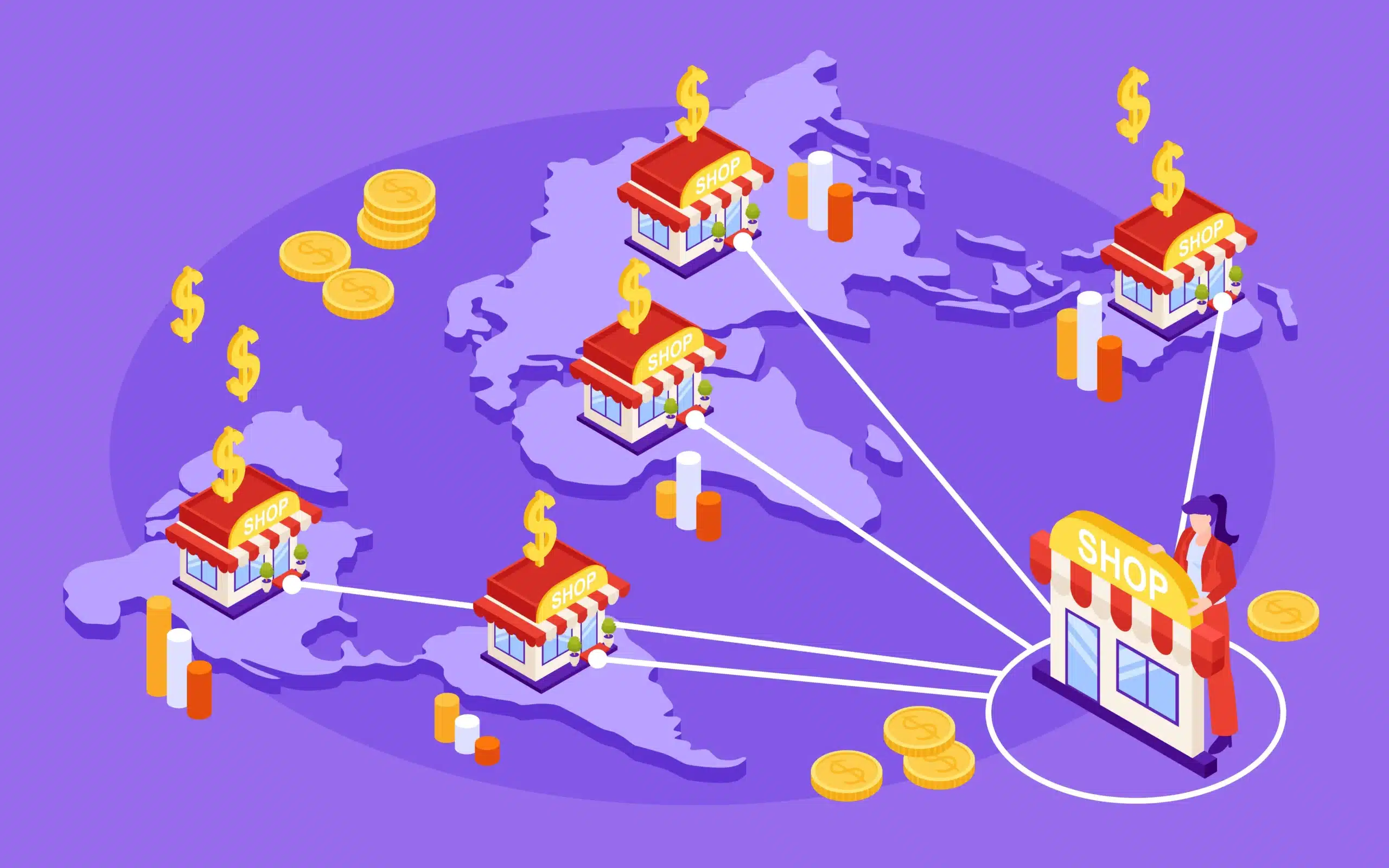
A cloud based restaurant POS system eliminates all three of these problems at once. It gives you one central place to build, update, and publish your menus across every location simultaneously. It unifies your sales reporting, labor data, and operational visibility under one dashboard. And it scales with you as you open new sites without rebuilding your tech stack each time.
This guide walks you through exactly how to make it work — from choosing the right platform and setting up your network architecture to managing multiple menus and concepts from a single backend. Everything here is built for operators, not IT teams.
What Is a Cloud POS System and Why Does It Matter for Restaurants?
A cloud point of sale system stores all of your restaurant data — menus, pricing, sales history, staff records, and inventory — on secure remote servers rather than on a physical machine inside your restaurant. Because everything lives in the cloud, you can access it, update it, and report on it from any internet-connected device: a tablet in your office, a laptop at home, or your phone between location visits.
For a single-location operator, this is a convenience. For a multi-location operator, it is the difference between a manageable business and an administrative nightmare.
Here is what makes cloud POS systems fundamentally different from traditional terminals:
- Real-time menu sync: Any change you make in the cloud backend pushes to every location terminal instantly. No version mismatches, no calling managers, no wondering whether last night’s menu change went through.
- Centralized reporting: Sales data from all locations rolls up to one dashboard in real time. You can compare location performance, identify top-sellers, and track promotional redemptions across your entire portfolio without exporting a single spreadsheet.
- Access from anywhere: Managers monitor sales, modify menus, approve voids, and view labor costs from a phone, tablet, or laptop rather than being tethered to an in-store terminal or a back-office computer.
- Standardized operations: When every location runs the same cloud platform, the operational procedures, training materials, and support processes are identical everywhere. This is what makes scaling to a third or fourth location manageable rather than exponentially more complex.
⚠ Hardware matters as much as software
Standardizing your cloud POS software across locations without standardizing your hardware creates a different kind of configuration drift. Match your switches, routers, and POS endpoint models down to the device spec at every location. Small hardware inconsistencies surface as mysterious reporting errors and system failures during peak service.
Cloud-Based vs Traditional POS Systems: What Is the Real Difference for Multi-Location Restaurants?
Before committing to any platform, most operators want a clear comparison of what they are actually choosing between. The table below cuts through the marketing and shows the operational differences that matter most when you are running two or more locations.
| Feature | Traditional POS | Cloud POS System |
|---|---|---|
| Menu Updates | Manual per terminal — update each device individually | Instant push to all locations from one dashboard |
| Multi-Location Reporting | Separate systems requiring manual data merge | Unified real-time dashboard across all sites |
| Hardware Dependency | High — on-premise servers tied to physical location | Low — any internet-connected device works |
| Offline Capability | Works fully offline without any workaround | Requires local fallback plan or uptime guarantee |
| Scalability | Costly and slow to add each new location | Add new locations in minutes from the backend |
| Software Updates | Manual IT visits required per location | Automatic cloud-wide updates at no disruption |
| Menu Version Control | Risk of mismatched menus across locations | Single master menu version across all sites |
| Support Overhead | Multiple vendor relationships to manage | One vendor handles all locations uniformly |
The offline capability row deserves special attention. Traditional POS systems work without internet by design. Cloud POS systems do not — and for a restaurant running dinner service at peak volume, an unplanned internet outage means no orders processed, no payments taken, and a dining room of frustrated guests.
This is not a reason to avoid cloud POS systems. It is a reason to ask your vendor one specific question before you sign anything: what happens when the internet goes down? The right answer involves either a local offline mode that syncs when connectivity returns, or a managed network service that guarantees uptime through automatic failover. Platforms like Milagro SmartPOS solve this directly with SmartCONNECT — a proprietary managed network service that ensures 100% uptime even if the primary internet connection drops.
How to Set Up One Cloud Based Restaurant POS System Across Multiple Locations
Centralizing your restaurant group on a single cloud based restaurant POS system is not just a software decision. It requires a deliberate setup process that covers network architecture, hardware configuration, menu structure, and failure planning. Here is the step-by-step framework operators use to do it right.
1. Choose a single cloud POS provider for all locations — This is the most important decision in the entire process. Splitting vendors between locations — even temporarily — creates data silos that make unified reporting impossible and doubles your support and training burden. Every location must run the same online POS system for restaurant operations. Providers like Milagro SmartPOS, Toast, and Square for Restaurants all support multi-location accounts natively from a shared backend. Choose one, commit to it across all sites, and negotiate a multi-location rate from the start.
2. Standardize hardware across all sites — Once you have selected your platform, match the hardware spec at every location down to the switch model and router brand. This is tedious but critical. Hardware mismatches are the single most common cause of configuration drift and unexplained reporting discrepancies in multi-location setups. Build a standardized hardware kit and replicate it at every site before you go live.
3. Segment your network with VLANs — Running all of your restaurant traffic on the same network is a recipe for peak-hour failures. Your POS and order traffic, kitchen display systems (KDS), kitchen printers, guest Wi-Fi, and VoIP should each live on separate VLANs. This prevents cross-channel interference, protects payment data, and ensures that a surge in guest Wi-Fi usage does not slow down your order processing at 7:30 on a Saturday night.
4. Build your master menu in the cloud backend — Create your menu once in the central POS dashboard. Configure which items, pricing tiers, and modifiers apply to which locations. Set up your modifier groups, forced options, and price overrides for locations with different cost structures. Once your master menu is live, any future change — an 86, a price update, a new seasonal item — pushes to all connected terminals in real time.
5. Test under rush-hour conditions before going live — This step is skipped by operators who later regret it. Do not run a basic demo in a conference room and call it sufficient. Simulate your busiest real-world scenarios: complex modifier combinations, simultaneous multi-ticket KDS routing, high-volume kitchen printer load. The failure points that surface under pressure are invisible during a standard vendor demonstration.
6. Plan your offline and local failure protocol — Every location needs a documented process for what happens when internet connectivity drops. This means either a local offline mode with sync-on-recovery, a backup cellular connection, or a managed network uptime service. Do not wait for a dinner-rush outage to discover you have no fallback. Design the protocol before you go live and train every front-of-house manager on it.
Managing Multiple Menus and Concepts From One POS Backend
Not every multi-location operator is running the same concept at each address. Ghost kitchen groups, multi-concept restaurant brands, and operators running different daypart menus — breakfast, lunch, and dinner — all need the ability to manage distinct customer-facing menus from a single POS backend. This is where cloud based restaurant management software earns its keep.
How single back-end, multiple front-end operations work
The architecture is straightforward. All orders, regardless of which brand, portal, or menu they come through, route into one POS instance. The customer-facing experience is brand-specific — separate ordering portals, separate branding, separate menu items — but the operational backend is unified. Staff work in one system. Reporting rolls up to one dashboard. Inventory deducts from one master record.
Milagro’s SmartMENUS module makes this operationally simple. Operators can add or update categories and items in seconds from the cloud, and all changes sync to every terminal in real time. Whether you are updating the burger concept’s lunch menu or swapping out seasonal items on the brunch brand, the update takes one action from one dashboard.
What to confirm before choosing your platform
- Multi-menu support: Verify during the demo — not in the sales pitch — that the platform explicitly supports multiple menus or storefronts mapped to one account. Some cloud POS systems advertise multi-location support but restrict you to one menu structure across all sites.
- Unified reporting with concept segmentation: You need the ability to compare concept performance within one reporting dashboard. Revenue by brand, top-sellers per concept, and promotional redemptions by storefront should all be visible without switching accounts or exporting data.
- Ordering portal integration: Your online ordering portals — whether first-party or third-party — must integrate directly to the POS backend. Parallel order streams that require manual reconciliation defeat the entire purpose of a unified backend.
- P&L consolidation: Operators running two locations with two separate menus should be able to report both to the same categories under one account. This is how you build a consolidated P&L without a manual reconciliation step at the end of every reporting period.
Best Cloud-Based POS Systems for Restaurants in 2026
The right cloud POS system for a multi-location restaurant group depends on your concept type, your volume, and how much of your tech stack you want to manage through a single vendor. Below are the four platforms best suited for multi-location operators, with Milagro SmartPOS featured as the recommended option for operators who want to consolidate their entire tech stack — POS, networking, loyalty, and marketing — under one roof.
RECOMMENDED FOR MULTI-LOCATION RESTAURANTS
Milagro SmartPOS
An all-in-one cloud restaurant operating system built specifically for full-service, fast casual, and QSR multi-location groups. Milagro goes beyond POS — it unifies ordering, loyalty, marketing, reservations, employee scheduling, and network infrastructure under one platform, eliminating the vendor fragmentation that holds most multi-location operators back.
- Multi-location menu management from one cloud backend — update items, categories, and modifiers across all locations in real time from a single dashboard.
- SmartCONNECT uptime guarantee — Milagro’s proprietary managed network service ensures 100% uptime so the POS never goes offline, even if the primary internet connection drops. This solves the single biggest cloud POS vulnerability for restaurant operators.
- Built-in online ordering with zero commissions and no extra tablets — third-party delivery from Uber Eats, DoorDash, and Grubhub flows directly into SmartPOS without duplicate order entry.
- SmartMENUS integration — tableside ordering and payments via tablet, with menu changes syncing to all terminals instantly from the cloud.
- Unlimited modifiers, modifier groups, and price groups — modify menu items individually or by group, force particular options, and limit selections without manual entries.
- Guest data platform with automated loyalty, personalized marketing campaigns, and built-in gift cards — all accessible directly from the POS payment screen.
- Unified reporting across all locations — view sales by server, category, item, delivery channel, and promotion in pre-built dashboards with no manual data export.
- Dedicated support for multi-location brands — on-site setup support and a dedicated support staff who fully manages the system for larger operators.
- Supports Table Service and Quick Service modes simultaneously — each tablet individually configured to run either mode.
- Next-day credit card funding and full NFC, Apple Pay, and Google Pay support across all terminals.
Best For: Full-service, fast casual, and QSR operators managing 2+ locations who want a single vendor for POS, online ordering, loyalty, network infrastructure, and guest marketing.
Toast POS
Purpose-built for restaurants with strong multi-location menu management, robust reporting, and a large integrations ecosystem. Widely used across full-service and QSR chains.
- Native multi-location support with centralized menu management across all sites from one backend dashboard.
- Robust reporting and labor management tools built specifically for restaurant operations rather than adapted from a general retail platform.
- Large third-party integrations ecosystem covering payroll, inventory management, and accounting platforms.
- Note: Some operators build custom API layers on top of Toast to retain data ownership and maintain portability if they ever need to switch vendors.
Best For: Growing restaurant groups already embedded in the Toast ecosystem or those requiring deep third-party integrations beyond what an all-in-one platform provides.
Square for Restaurants
Cost-effective and accessible for operators scaling from one to three locations. Supports multiple menus reporting to unified categories.
- Straightforward multi-location account management at accessible price points with no long-term contract requirements.
- Supports multiple menus mapped to unified reporting categories for consolidated P&L tracking across locations.
- Familiar and intuitive interface significantly reduces staff training time when opening new locations.
- Limitations emerge in high-volume setups requiring advanced KDS routing, complex modifier configurations, or dedicated multi-location support.
Best For: Independent operators and emerging restaurant groups scaling from a single location to two or three sites who need reliability without enterprise complexity.
Lightspeed Restaurant
Enterprise-grade cloud POS with advanced inventory management and multi-location reporting. Built for operators managing large menus with complex modifier structures.
- Advanced inventory tracking with real-time deduction across all locations, including recipe-level costing and waste tracking.
- Multi-location reporting dashboard with strong analytics for menu engineering decisions and cross-location performance benchmarking.
- Higher implementation complexity — best suited for operators with dedicated IT resources or a system implementation partner rather than owner-operators managing setup themselves.
Best For: Enterprise-level restaurant groups and hospitality operators managing large, complex menus across five or more locations who have internal technical resources available.
Integrating Your Cloud POS With Restaurant Management Software
A cloud POS system is the operational core of your restaurant tech stack, but it works best when it connects cleanly to the other tools you depend on. Here is what a well-integrated setup looks like for a multi-location restaurant group using cloud based restaurant management software.
- Inventory management: Real-time inventory deduction as orders are placed eliminates the manual stocktake reconciliation that typically consumes hours at each location each week. When an item is 86’d, the update pushes across all terminals instantly without a phone call to every manager.
- Accounting and payroll sync: A direct integration between your POS and accounting tools like QuickBooks or Xero eliminates the manual export-import cycle that creates errors at month-end. End-of-day reconciliation that used to take an hour is reduced to minutes.
- Third-party delivery integration: All delivery channels — DoorDash, Uber Eats, Grubhub — and your first-party online ordering portal should feed directly into the POS backend without creating parallel order streams. Extra tablets for each delivery platform are an operational liability: they create duplicate entry, increase error rates, and slow down your kitchen. Milagro’s 3PD integration handles all delivery orders directly inside SmartPOS with no additional hardware.
- Employee scheduling: Connecting labor scheduling directly to POS sales data gives managers real-time labor cost visibility and allows schedule builds based on actual demand patterns rather than gut instinct. Over time, this data drives the kind of labor cost reductions that meaningfully affect your bottom line.
- Data ownership and custom reporting: If you are scaling beyond three or four locations, consider pulling your POS data into your own reporting layer. This gives you vendor portability — historical data that stays with you regardless of which POS platform you use — and allows custom dashboards, KPI tracking, and forecasting that no off-the-shelf POS report can match.
! Avoid plugin stacking at all costs
If you are running online ordering through a platform like WooCommerce, the temptation to add separate plugins for POS, KDS, reservations, and loyalty is strong. Resist it. Mixed plugin stacks stop syncing reliably under peak load. The moment you have a full dining room and your KDS loses sync with your POS, the damage to service quality is immediate and visible to every guest in the room.
Common Mistakes to Avoid When Setting Up a Multi-Location Cloud POS
Most multi-location POS failures trace back to a small number of predictable mistakes. Here is what experienced operators have learned the hard way — and how to avoid paying the same tuition.
- Using different POS vendors per location: Every time you split vendors between locations you create a data silo. Unified reporting becomes impossible. Your support burden doubles. Staff who work across locations have to learn two different systems. Standardize on one provider across all locations from day one, even if it means a short-term migration cost at one site.
- Ignoring hardware standardization: Software standardization without hardware standardization is only half the job. Mismatched routers, switches, or POS terminal models cause configuration drift that surfaces as unexplained reporting errors, connectivity failures, and system behaviors that are nearly impossible to diagnose remotely.
- Skipping VLAN network segmentation: Running POS traffic, guest Wi-Fi, and kitchen displays on the same network works fine until it does not. Under peak load, unsegmented traffic creates interference that slows order processing exactly when speed matters most. Build your VLAN structure correctly before you go live, not after your first bad Friday night.
- Not planning for offline scenarios: An unplanned internet outage during dinner service with no fallback protocol is one of the most damaging operational failures a restaurant can experience. Every site needs either a local offline mode, a backup cellular connection, or a managed uptime service like Milagro’s SmartCONNECT before you go live. This is non-negotiable.
- Accepting vendor demos at face value: A demo in a conference room running two or three test tickets tells you almost nothing about how a platform performs under real conditions. Before committing, run demos that simulate your actual peak volume — complex modifiers, simultaneous KDS routing, full kitchen printer load. The failure points that will cost you money are invisible until you stress-test the system.
- Losing data ownership: If you ever need to switch POS vendors, your historical sales data is your most valuable operational asset. Operators who do not export or sync their POS data to an independent reporting layer can lose years of transaction history when they migrate. Build a data export habit from day one.
Choosing the Best Cloud Based POS System for Your Restaurant Group
Managing multi-location restaurant menus from one cloud POS system comes down to one fundamental decision made well before your first location goes live: choosing a single platform that can carry your entire operation — not just your current locations, but every location you plan to open.
The framework for a successful multi-location cloud POS setup is consistent regardless of which platform you choose: one provider across all locations, standardized hardware at every site, segmented network architecture, a master menu built once and pushed everywhere, thorough peak-load testing before launch, and a documented offline protocol at every location.
When evaluating the best cloud based POS systems for restaurants, the criteria that separate adequate from exceptional are: native multi-location and multi-menu support without workarounds, offline resilience backed by a real uptime guarantee, a fully integrated loyalty and guest marketing layer, open API access so you retain your own data, and vendor support that includes onsite setup capability — not just a help center article.
Milagro SmartPOS is the only platform in this comparison that brings all of these capabilities together under one subscription: cloud POS, managed network infrastructure through SmartCONNECT, built-in loyalty and automated guest marketing, commission-free online ordering, unlimited modifiers and menu structures, and dedicated multi-location support with on-site setup. For operators who want to eliminate vendor fragmentation entirely and run their entire restaurant group from one dashboard, it is the most complete solution available.
Ready to manage all your locations from one dashboard?
Book a Milagro SmartPOS Demo
Frequently Asked Questions
Q What is a cloud based restaurant POS system?
A cloud based restaurant POS system stores all your sales, menu, and staff data on secure remote servers rather than a local machine. You can access and update everything — including menus across all locations — from any internet-connected device in real time. Platforms like Milagro SmartPOS extend this further by bundling loyalty, online ordering, guest marketing, and managed network infrastructure into one subscription, eliminating the need to manage multiple vendor relationships.
Q Can a cloud POS system work without internet?
Most cloud POS systems require an internet connection to process transactions. Leading providers offer an offline mode that allows sales to process locally and sync when connectivity is restored. Milagro addresses this directly with SmartCONNECT — a managed network service that guarantees 100% uptime by automatically switching to a backup connection the moment primary internet drops, so your POS never goes offline during service.
Q How do I update menus across multiple restaurant locations at once?
With a cloud POS system, you make changes in the central backend dashboard and they push to all connected location terminals instantly. With Milagro SmartPOS, operators can add or update menu categories and items in seconds from the cloud, and all changes sync to every terminal in real time — no phone calls, no manual terminal-by-terminal updates, no version mismatches between locations.
Q What is the difference between cloud-based and traditional POS systems for restaurants?
Traditional POS systems store data locally on-premise and require manual updates at each individual terminal. Cloud POS systems store data remotely, sync changes in real time across all locations, and can be managed from any device. For multi-location operators, this difference is decisive: manual per-terminal menu updates at five locations are operationally unsustainable, while a single cloud update takes seconds and reaches every site simultaneously.
Q Which is the best cloud POS system for a multi-location restaurant in 2026?
Milagro SmartPOS is the most complete option for multi-location restaurant operators because it combines cloud POS, managed network uptime via SmartCONNECT, commission-free online ordering, built-in loyalty and guest marketing, and dedicated multi-location support under one platform. Toast, Square for Restaurants, and Lightspeed are strong alternatives depending on your concept type, volume, and integration needs. Regardless of which platform you evaluate, always run a full peak-load demo before committing.