
The Hours Operators Are Silently Losing Every Week
You didn’t open a restaurant to spend three hours every Monday reconciling sales reports in a spreadsheet. But here you are — manually re-entering DoorDash orders into your POS, exporting CSVs into QuickBooks, and cross-checking inventory counts against what the system says versus what’s actually on the shelf.
This is the silent tax of running a disconnected operation. Not one catastrophic failure — just dozens of small manual tasks that stack up across your week and drain the time you could be spending on your food, your team, and your guests.
Most operators lose 6–10 hours weekly on disconnected systems. The right POS integrations eliminate that entirely.
This guide shows you exactly which integrations recover the most time, how to evaluate which POS platforms support them, and how to roll them out without disrupting daily service. Whether you’re opening your first restaurant or running multiple locations, this is the practical roadmap you need.
What Does POS Integration Actually Mean for a Restaurant?
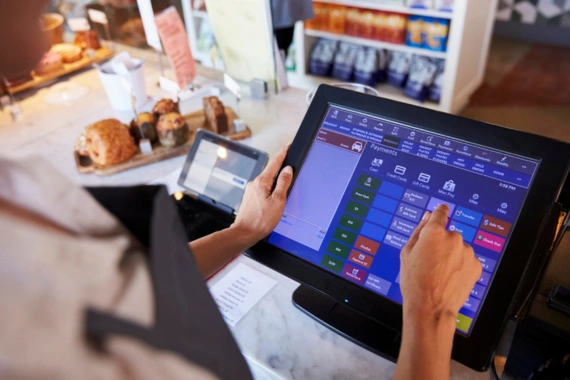
At its simplest, a POS integration is a live connection between your point-of-sale system and another software tool your restaurant relies on. Instead of data sitting in one system until a human manually moves it somewhere else, integrations let systems talk to each other automatically — in real time or on a set schedule.
Your POS is the operational hub of your restaurant. Every order placed, every payment processed, every item sold flows through it. But that data is only useful if it reaches the other tools that depend on it: your accounting software, your inventory system, your delivery platforms, your payroll provider.
When those connections don’t exist, your team fills the gap manually. That means:
- Re-typing delivery orders from Uber Eats, DoorDash, or Grubhub into the kitchen
- Exporting end-of-day CSVs and importing them into QuickBooks or Xero
- Manually cross-checking inventory counts against what the POS says was sold
- Copying clock-in/clock-out data from a scheduling app into payroll
- Reconciling card terminal batches against POS records at the end of every night
Each of those tasks takes 20–45 minutes. Done daily or weekly across five systems, you’re looking at a part-time job’s worth of administrative work — performed by people who should be running a restaurant.
If you’re opening a restaurant and wondering which POS to choose, the most important question isn’t which one has the best interface. It’s which one has the deepest integration ecosystem for the tools you’ll actually use.
The 7 POS Integrations That Save Restaurant Operators the Most Hours
Not all integrations are created equal. Some save you minutes a week; others reclaim hours. Here are the seven that deliver the highest return on time — ranked by weekly impact.
1. Online Ordering & Delivery App Sync — Saves 3–4 hrs/week
Without integration, every order from a third-party delivery platform (Uber Eats, DoorDash, Grubhub) has to be manually re-entered into your POS by a staff member. During a dinner rush with 60 delivery orders coming in, that’s a constant distraction from serving in-house guests — and a source of entry errors that lead to wrong orders and unhappy customers.
The fix: A direct POS-to-delivery-platform integration pushes orders automatically to your kitchen display and records them in the POS in real time. No tablets. No manual re-entry. No errors from transcription.
⏱ Estimated time saved: 3–4 hours/week for a restaurant handling 50+ delivery orders daily.
2. Accounting & Bookkeeping Integration — Saves 2–3 hrs/week
End-of-day reconciliation is one of the most time-consuming administrative tasks in any restaurant. Revenue totals, tax breakdowns, tip allocations, and category splits all need to land in your accounting software — and without integration, that means manual data entry that introduces errors and eats into your evening.
The fix: Automated daily sync pushes revenue, tax, and tip data directly into your accounting platform (QuickBooks, Xero, Restaurant365) without any manual export or import. Your books stay current; your team stops touching spreadsheets.
⏱ Estimated time saved: 2–3 hours/week, plus significantly reduced reconciliation errors.
3. Inventory Management — Saves 2 hrs/week
Every sale changes your stock levels — but your inventory system doesn’t know unless someone manually updates it. The result is regular physical counts, surprise stock-outs on popular items, and over-ordering to compensate for uncertainty. For high-volume or multi-location operators, this compounds fast.
The fix: POS-to-inventory integration decrements stock automatically as orders are placed, flags low-stock items in real time, and can auto-generate purchase orders before you run out. You shift from reactive stock management to proactive.
⏱ Estimated time saved: 2 hours/week on manual stock counts and reactive ordering.
4. Payroll & Scheduling — Saves 1–2 hrs/week
Clock-in and clock-out data lives in your scheduling system. Payroll lives in a separate tool. Tips may live in yet another place. Without integration, a manager manually transfers hours every pay period — a fiddly, error-prone task that also creates legal exposure if hours are miscalculated.
The fix: POS labour data feeds directly into scheduling and payroll tools like 7shifts, HotSchedules, or Gusto. Hours are transferred automatically, tip allocation is calculated correctly, and your manager gets that time back.
⏱ Estimated time saved: 1–2 hours/week on payroll prep and tip allocation every pay cycle.
5. Payment Processing Integration — Reduces Errors & Close Time
When your card terminal and your POS are not the same system, they generate separate records of every transaction. Matching those records at end of night — catching mismatches, chasing down discrepancies, batching the terminal — is a nightly ritual that can easily run 30–45 minutes.
The fix: Integrated payment processing means every card transaction is recorded in the POS at the moment it happens. No separate batching. No mismatched totals. End-of-night close becomes a formality rather than a forensic exercise.
⏱ Estimated time saved: 30–45 minutes every night on reconciliation, plus fewer payment disputes.
6. Loyalty & CRM — Automates Guest Re-Engagement
Building a loyal customer base requires consistent communication — but manually collecting emails at checkout, exporting lists, building campaigns, and tracking results is a marketing department’s full-time job. For most restaurant operators, it simply doesn’t happen.
The fix: POS-linked CRM platforms (Paytronix, Thanx, Lightspeed Loyalty, Milagro) automatically enrol guests at checkout, track visit frequency and spend, and trigger personalised campaigns — birthday offers, win-back sequences, loyalty milestone rewards — without any ongoing manual effort.
Benefit: Repeat visit rates improve without any ongoing manual marketing effort from your team.
7. Reporting & Analytics — Replaces Manual Number-Crunching
Without integrated reporting, understanding your restaurant’s performance means pulling data from multiple systems — POS, labour, inventory, delivery — and assembling it into spreadsheets yourself. Most operators either skip this entirely or spend hours on it every week.
The fix: Integrated analytics dashboards (Restaurant365, Avero, or built-in POS reporting tools) pull POS, labour, and inventory data into one view automatically. You see labour cost as a percentage of revenue, menu item profitability, and day-part performance — without building a single formula.
⏱ Estimated time saved: 1–2 hours/week on weekly reporting and performance review.
Which POS Platforms Have the Best Integration Ecosystems?
Choosing the right POS means evaluating integration breadth, not just feature lists. Here’s how the top platforms compare on the criteria that matter most to time-saving operators.
| POS Platform | Native Integrations | Open API | Setup Ease | Best For |
|---|---|---|---|---|
| Toast | 250+ | Yes | Moderate | Full-service & multi-location |
| Square | 100+ | Yes | Easy | Small & budget-conscious |
| Lightspeed | 200+ | Yes | Moderate | Inventory-heavy concepts |
| Clover | 300+ | Yes | Easy | Quick-service & cafes |
| TouchBistro | 50+ | Limited | Easy | Independent full-service |
| Milagro SmartPOS | Built-in suite (loyalty, ordering, scheduling, gift cards, waitlist & more) | Yes | Easy | QSR, fast casual & full-service; multi-location brands |
Evaluation criteria used in the comparison above:
- Native integrations count — how many out-of-the-box connections exist without custom development
- Open API availability — can you build or connect custom tools if a native integration doesn’t exist?
- Ease of setup — how much technical knowledge is required to go live?
- Best-fit restaurant type — not every platform scales the same way or suits every service model
A note on Milagro SmartPOS:
Milagro takes a different approach to integrations than most platforms on this list. Rather than connecting to third-party tools for loyalty, online ordering, employee scheduling, and guest data, Milagro bundles these capabilities natively into a single platform. For operators who want to reduce the number of vendor relationships they manage, this all-in-one model can significantly simplify operations. Third-party delivery (Uber Eats, DoorDash, Grubhub) flows directly into the POS without duplicate entry, and menus sync from the Milagro Cloud without updating each platform individually.
Learn more at milagrocorp.com/restaurant/pos-system
How to Set Up POS Integrations Without Disrupting Daily Service
The biggest mistake operators make when adding integrations is going live cold — activating a new connection during service and hoping it works. The rollout process matters as much as the technology itself. Here’s a proven five-step approach that works whether you’re setting up a new restaurant from day one or integrating mid-operation.
5-Step Integration Setup Checklist
- Audit your current manual tasks
List every step your team currently does by hand that involves moving data between systems: re-entering delivery orders, updating inventory sheets, exporting sales CSVs, transferring payroll hours. This audit becomes your integration roadmap. - Prioritise by hours-saved impact
Start with the integrations that address your highest-volume manual tasks first. For most operators, that’s delivery sync or accounting — the tasks that happen every single day and take the most time. Don’t integrate five things simultaneously. - Run new integrations in parallel
Before decommissioning your old manual process, run the new integration alongside it for at least one full service. Verify that data is flowing correctly and matching what you’d expect. Only switch over completely once you’ve confirmed accuracy. - Train staff before peak periods
Schedule training during slow service windows — a Tuesday lunch, not a Friday dinner. Run a full dry-run of the new workflow before you need it to work flawlessly under pressure. Staff who understand why a change is happening adopt it faster than those who are just told it’s different now. - Set a review date
Two weeks after go-live, review actual time savings against what you expected. Are the hours coming back? Is the data accurate? Are there any sync conflicts between systems? Early reviews catch problems before they become habits.
Common Mistakes That Cancel Out Your Time Savings
Integrations promise time savings — but the wrong choices or the wrong rollout can create as much work as they eliminate. These are the five mistakes operators most commonly make.
Mistake 1: Integrating Too Many Tools at Once
Adding five integrations simultaneously means five new failure points. When something breaks — and something always breaks during a rollout — you won’t know which integration caused it. Roll out one at a time, verify it’s working, then move to the next. Patience at setup saves hours of debugging later.
Mistake 2: Choosing a Platform with Poor Sync Frequency
Some integrations sync every 15–30 minutes rather than in real time. For inventory or delivery orders, that lag creates the exact problems you’re trying to eliminate. A delivery order that takes 20 minutes to appear in your kitchen system isn’t an integration — it’s a delayed manual entry. Always check sync frequency before committing to a platform.
Mistake 3: Skipping Staff Training
An integration that staff don’t understand or trust gets worked around. If your team doesn’t believe the system is correct, they’ll maintain their own manual process alongside it — giving you double the work rather than half. Invest time in training and explaining why the change is happening.
Mistake 4: Ignoring Data Conflicts Between Systems
When two systems both hold the same data — your POS and your inventory system both tracking item counts, for example — discrepancies will emerge. Decide at setup which system is the single source of truth for each data type. Document it. Enforce it. Without this decision, you’ll spend hours resolving conflicts that never needed to exist.
Mistake 5: Not Reviewing Time Savings After Go-Live
Integrations can break silently. A failed sync between your POS and accounting software won’t always throw an error — you may only discover it at month-end when the numbers don’t reconcile. Set monthly check-ins to verify that data is flowing correctly and that the time savings you expected are actually materialising.
FAQ: Your Top Questions About POS Integrations Answered
What’s the best POS system for restaurant owners, and why do operators prefer certain platforms?
There’s no single best POS for every restaurant — the right choice depends on your service model, volume, and the integrations you need. Full-service restaurants with complex floor plans often prefer Toast or TouchBistro. Quick-service and fast-casual operators lean toward Clover, Square, or Milagro SmartPOS for their simpler setup and speed. The operators who stay with a platform long-term are usually the ones who chose based on integration depth, not just interface.
Which POS systems have the strongest integration ecosystems for restaurants?
Clover leads on raw third-party connection count (300+), while Toast offers the deepest integrations specifically built for full-service restaurant workflows. Milagro SmartPOS takes a different route — building the most critical integrations (loyalty, online ordering, 3PD delivery, scheduling) natively into the platform so operators don’t need to manage multiple vendor relationships. The strongest ecosystem is the one that connects the specific tools you actually use.
How many hours a week can POS integrations realistically save a restaurant operator?
Based on typical operator workflows, the seven integrations covered in this guide can recover 6–10 hours per week in aggregate: delivery sync (3–4 hrs), accounting (2–3 hrs), inventory (2 hrs), payroll (1–2 hrs), and reporting (1–2 hrs). Results vary based on volume — a restaurant processing 100+ daily delivery orders will see more time saved from delivery sync than one processing 10. The accounting and payroll integrations tend to deliver the most consistent savings regardless of volume.
What’s the best POS system for a small restaurant on a tight budget?
Square is the most accessible entry point — low upfront cost, easy setup, and enough integrations to cover the essentials for a small operation. For restaurants that want a more complete feature set without managing multiple vendors, Milagro SmartPOS offers loyalty, online ordering, and scheduling as part of a single platform. The right choice for a budget-conscious operator is the one with the lowest total cost of ownership, not just the lowest sticker price — factor in the cost of every separate tool you’d need to connect.
Can a small restaurant use a simple POS and still benefit from integrations?
Yes — and often more so than larger operations. Small restaurants feel the impact of manual tasks more acutely because there’s no back-office staff to absorb the administrative work. Even connecting just two integrations (delivery sync and accounting) can reclaim 5+ hours per week for an owner-operator who would otherwise do that work personally. Start simple, prioritise by time saved, and add integrations as your operation grows.
Can I integrate my current POS with third-party delivery apps?
Most modern POS platforms support direct integration with the major delivery platforms (Uber Eats, DoorDash, Grubhub) either natively or through middleware. Before assuming your platform supports this, check which delivery apps are officially connected and whether the integration pushes orders to your kitchen display in real time or with a delay. If your current POS lacks delivery integration, that single addition is likely the highest-ROI upgrade you can make.
What POS system should I choose when opening a new restaurant?
Opening operators should prioritise three things: ease of initial setup, integration depth for the tools they plan to use from day one, and support quality. You will hit problems in your first months — the question is how quickly your POS provider helps you solve them. Beyond support, map out every software tool you plan to use (accounting, scheduling, delivery, loyalty) and verify that each has a native integration with any POS you’re evaluating. Don’t assume — confirm.
Which POS integrations should a new restaurant set up first?
Start with delivery app sync (if you plan to use third-party platforms) and accounting integration — these deliver the most immediate time savings and are active from day one. Add inventory management once you have baseline sales data to compare against. Payroll and scheduling integrations are worth setting up before your first pay period to avoid establishing bad manual habits. Loyalty and CRM can come later, once you have a customer base worth engaging.
How does POS payment integration reduce manual errors for new restaurant owners?
Payment integration eliminates the nightly reconciliation gap between your card terminal and your POS records. Without it, every discrepancy between what the terminal says was processed and what the POS recorded requires manual investigation — a process that can take 20–45 minutes per night and often reveals errors that trace back days or weeks. Integrated payments mean every transaction is a single record in a single system, making end-of-night close faster and disputes far easier to resolve.
Start Saving Hours This Week
The hours you’re losing every week to manual data entry, spreadsheet reconciliation, and system juggling aren’t going to fix themselves. But they don’t require a complete technology overhaul to recover. Three integrations — connected and running correctly — will give most operators their evenings back.
Quick-Start Priority List
- ✓ Delivery app sync — highest ROI for volume operators (3–4 hrs/week)
- ✓ Accounting integration — eliminates the biggest daily reconciliation headache (2–3 hrs/week)
- ✓ Inventory management — prevents costly over-ordering and stock-outs (2 hrs/week)
These three alone can recover 7–9 hours per week — time that goes back into your floor, your menu, and your team. Start with whichever addresses your biggest current pain point, verify it’s working, then build from there.
The right POS integration ecosystem doesn’t just save you time — it gives you accurate, real-time visibility into your business that manual processes never could.
If you’re evaluating POS platforms or looking to expand your current integration stack, Milagro SmartPOS offers a fully integrated suite — loyalty, online ordering, third-party delivery, scheduling, guest data, and more — built natively into a single platform designed for full-service, fast-casual, and QSR restaurants.
See how Milagro SmartPOS can simplify your operation