
One of the first questions every café owner asks when researching technology is also one of the hardest to get a straight answer on: how much does a POS system actually cost?
Vendor websites list starting prices that bear little resemblance to what you’ll actually pay once hardware, payment processing, add-ons, and support are factored in. Free plans come with transaction fees that compound into hundreds of dollars per month at realistic café volumes. Enterprise platforms quote custom pricing that requires a sales call to access. And the features that matter most to café operations — offline reliability, modifier handling, loyalty programs, inventory tracking — are frequently locked behind premium tiers that aren’t mentioned in the headline price.
This guide gives US café owners a complete, honest breakdown of what a café POS system actually costs in 2026 — across every tier, every cost component, and every type of café operation. By the end, you’ll know exactly what to budget, what to watch out for, and how to evaluate whether the system you’re considering represents genuine value for your specific business.
Typical Cafe POS Cost Ranges
Café POS systems in 2026 fall into four broad pricing tiers. Understanding where each tier sits — and what its real limitations are — is the starting point for making a cost-effective decision.
Free / Entry-Level ($0–$50/month)
The free tier is real — platforms like Milagro and Square offer functional POS software at no monthly cost. But free software is never truly free for a café operating at any meaningful volume, and understanding why requires looking at how these platforms make their money.
Free POS platforms generate revenue through payment processing fees — typically 2.5% to 2.6% plus a per-transaction fee on every sale. For a café processing $20,000 per month in sales, that translates to $500–$520 per month in processing fees alone, before a single dollar of software cost. A café doing $40,000 per month pays over $1,000 per month in processing fees on a “free” plan.
At low volume — a new café doing under $10,000 per month — the free tier can be a practical starting point. As volume grows, the economics shift against percentage-based models quickly, and many café owners find themselves paying significantly more than they would on a mid-range flat-fee platform.
Entry-level paid plans in the $20–$50 per month range typically add basic reporting, slightly lower processing fees, and access to more modifier options. They remain percentage-based and carry the same volume-dependent cost escalation.
Mid-Range ($50–$150/month)
The mid-range tier is where most established independent cafés land, and where the value-to-cost ratio is strongest for operations doing $15,000–$50,000 per month in sales.
At this tier, you typically get cloud-based software with real features — ingredient-level inventory, loyalty program functionality, multi-user access with role permissions, detailed reporting, and integration with accounting software. Payment processing may still be percentage-based, but rates are usually negotiated downward from entry-level rates, and some platforms at this tier offer flat-fee processing that makes monthly costs significantly more predictable.
Hardware costs are additional at every tier — but mid-range platforms generally work with standard iPad setups rather than requiring proprietary terminals, which keeps hardware investment manageable.
For a café processing $25,000 per month on a mid-range platform with a flat-fee processing model, total monthly costs — software plus processing — typically land in the $150–$300 range, depending on the specific platform and processing structure.
Upper Mid-Range ($150–$300/month)
This tier adds multi-location management, advanced analytics, dedicated customer support tiers, and more sophisticated marketing and loyalty capabilities. For a café group with two or three locations, centralized reporting, unified customer data, and system-wide menu management justify the higher monthly investment.
The distinction between mid-range and upper mid-range is increasingly about data ownership and marketing capability rather than operational features. Platforms at this tier — including Milagro — typically include guest data platforms, automated SMS and email marketing, and CRM capabilities that directly drive repeat revenue. For a café where loyalty and repeat visits are a significant revenue driver, these capabilities often generate returns that significantly exceed their cost.
Enterprise ($300+/month)
Enterprise-tier POS platforms are designed for multi-location restaurant groups and chains with complex operational requirements — custom integrations, dedicated account management, advanced reporting across dozens of locations, and enterprise-grade security and compliance. For most independent cafés and small café groups, enterprise pricing represents significant over-investment in capabilities they don’t need.
The exception is a rapidly scaling café group approaching five or more locations, where the operational complexity and the value of centralized data management can justify the higher monthly investment.
POS Hardware Costs for Cafes
Software costs are only half of the café POS cost equation. Hardware — the physical components that make your system operational — represents a significant upfront investment that varies considerably depending on the system and your café’s specific setup.
iPad / Tablet Terminal
Most modern café POS systems run on iPads or Android tablets rather than proprietary hardware, which keeps costs manageable and gives you flexibility if you need to replace a device. A current iPad suitable for POS use costs $329–$499 new, or $150–$250 refurbished. Some POS providers offer subsidized hardware bundles — but always calculate whether the bundle price is genuinely competitive with purchasing hardware independently.
Proprietary POS terminals — systems that require the vendor’s specific hardware — typically cost $500–$1,200 per terminal and carry the risk of being locked into that vendor’s ecosystem for replacement parts and upgrades. Toast is the most well-known example of a proprietary hardware ecosystem in the café and restaurant space.
Card Reader / Payment Terminal
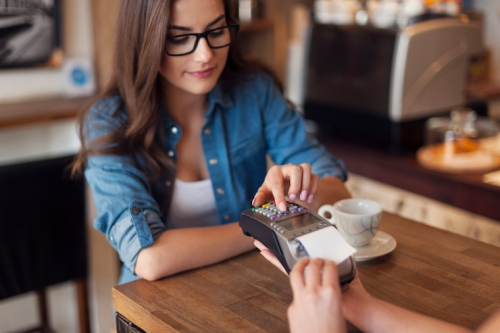
A contactless card reader for a single-till café setup costs $49–$299 depending on the provider and model. Readers that support NFC contactless payments — Apple Pay, Google Pay, tap-to-pay cards — are standard in 2026 and should be considered a baseline requirement rather than an upgrade. Countertop payment terminals with customer-facing displays run $200–$500.
For a café where tip prompting is important, a customer-facing terminal that displays the tip selection screen is worth the additional investment — staff-reported tip collection is significantly less reliable than terminal-prompted selection.
Receipt Printer
A thermal receipt printer for a café setup costs $100–$300. Many cafés in 2026 have moved toward digital receipt options — SMS or email receipts — which eliminate the ongoing cost of receipt paper and reduce hardware maintenance. If you’re setting up a new café, evaluating whether your customer base actually wants printed receipts is worth doing before investing in a receipt printer.
Kitchen Display System (KDS)
A Kitchen Display System — the screen in your preparation area that receives orders directly from the POS — costs $300–$700 for the display hardware, plus any monthly software fee the POS provider charges for KDS functionality. For a café with a food program alongside its coffee menu, a KDS eliminates verbal order communication and printed kitchen tickets, reducing errors and improving coordination significantly.
For a pure coffee bar with no food preparation, a KDS may be unnecessary — orders visible on the barista-side POS screen are often sufficient.
Cash Drawer
A standard cash drawer for a café POS setup costs $50–$150. Even in an increasingly cashless environment, most US cafés maintain a cash drawer for guest preference and as a backup payment option. Some newer café concepts operating in urban markets have moved to cashless-only operations, but this remains a minority.
Complete Hardware Setup Cost Summary
| Component | Budget | Mid-Range | Premium |
|---|---|---|---|
| iPad / Tablet | $150 (refurb) | $329–$499 | $499+ |
| Card Reader | $49 | $150–$299 | $300–$500 |
| Receipt Printer | $100 | $150–$200 | $250–$300 |
| KDS Screen | Optional | $300–$500 | $500–$700 |
| Cash Drawer | $50 | $75–$100 | $100–$150 |
| Total Hardware | $350–$500 | $1,000–$1,600 | $1,650–$2,150 |
Most independent cafés setting up their first location should budget $800–$1,500 for a complete hardware setup that covers the essentials without over-investing in premium components before the business has established its volume.
Milagro’s Flat-Fee Model
Milagro operates on a flat monthly fee with 0% commission on online orders — a fundamentally different economic model from percentage-based platforms. For a café processing $30,000 per month in sales, the difference between a 2.6% processing fee model and Milagro’s flat-fee structure can represent $500–$800 per month in direct savings. At $40,000 per month, that gap widens to $700–$1,000+ per month — savings that compound every single month you operate. The flat-fee model also makes monthly costs predictable — a significant operational advantage for small café owners managing tight cash flow.
Payment Processing Fees Explained
Payment processing fees are the most significant ongoing cost component of any café POS system — and the one most café owners underestimate during the initial evaluation.
Flat Rate Processing
Flat rate processing charges a fixed percentage on every transaction regardless of card type — typically 2.5% to 2.75% plus a small per-transaction fee. The advantage is simplicity and predictability. The disadvantage is that you pay the same rate on a debit card transaction as you do on a premium rewards credit card, even though the actual cost to the processor varies significantly.
For a café, flat rate processing is straightforward to understand and budget for — but it’s not always the most cost-effective option at higher volumes.
Interchange-Plus Processing
Interchange-plus pricing charges the actual card network interchange rate — set by Visa, Mastercard, and other networks — plus a fixed markup from the processor. This model is typically more cost-effective for high-volume operations because you pay the actual cost of each transaction rather than a blended rate that subsidizes the processor’s margin.
The disadvantage is complexity — monthly statements are harder to read, and the variable nature of interchange rates makes monthly costs less predictable. For a café owner focused on running a café rather than analyzing payment statements, this complexity can be a real operational burden.
Flat Fee (Subscription) Processing
A small number of platforms — including Milagro — offer flat-fee or subscription-based processing models where you pay a fixed monthly amount rather than a percentage of every sale. This model is highly advantageous for high-volume cafés because the monthly cost stays constant regardless of sales volume.
Processing Fee Impact at Different Volume Levels
| Monthly Sales | 2.6% Flat Rate | Interchange+ (~1.8%) | Flat Fee Model |
|---|---|---|---|
| $10,000 | $260 | $180 | Fixed monthly rate |
| $20,000 | $520 | $360 | Fixed monthly rate |
| $30,000 | $780 | $540 | Fixed monthly rate |
| $40,000 | $1,040 | $720 | Fixed monthly rate |
| $50,000 | $1,300 | $900 | Fixed monthly rate |
The table makes the volume-dependent economics clear. At $10,000 per month, the difference between processing models is manageable. At $40,000 per month, the difference between a 2.6% flat rate and a flat-fee model can represent thousands of dollars per month in additional cost — every month, indefinitely.
Hidden Costs to Watch Out For
The total cost of a café POS system is almost always higher than the headline price suggests. These are the hidden costs most café owners only discover after they’ve signed a contract.
Setup and Onboarding Fees
Some POS providers charge a one-time setup fee for initial configuration, menu building, and hardware installation. These fees range from $0 to $500+, depending on the platform and the complexity of your café’s setup. Always ask specifically about setup fees before signing — they’re not always disclosed prominently in pricing pages.
Training Fees
Some enterprise-tier providers charge for staff training and onboarding support beyond the initial setup. For a small café with limited staff turnover, this may not be significant. For a café with high turnover — common in the food service industry — recurring training costs can add up.
Add-On Module Costs
Many POS platforms advertise a headline price that covers basic functionality, with key operational features — loyalty programs, advanced reporting, marketing automation, KDS integration, and online ordering — available only as paid add-ons. Before evaluating any platform on its headline price, build out the complete feature set your café actually needs and price every add-on required to deliver it.
A café that needs loyalty program functionality, online ordering integration, and advanced inventory management may find that the add-on costs on a nominally cheaper platform bring its total monthly cost above a more comprehensive platform that includes all of these capabilities natively.
Contract Length and Cancellation Penalties
Some POS providers — particularly those offering subsidized hardware — require 12 to 36-month contracts with significant early termination fees. A café that signs a two-year contract and then discovers the platform doesn’t meet its needs faces either the operational cost of continuing with a suboptimal system or the financial cost of an early termination fee.
Always understand the contract length, auto-renewal terms, and cancellation penalty structure before signing. Month-to-month platforms offer significantly more flexibility — and the best providers offer them because they’re confident in their retention.
Payment Processing Rate Changes
Several POS providers offer introductory processing rates that increase after an initial period — typically 3 to 6 months. Read the processing agreement carefully and understand what the ongoing rate will be, not just the promotional rate quoted during the sales process.
Customer Support Tiers
Many platforms include only email support or chatbot-based support at their base tier, with phone support and dedicated account management available only at higher price points. For a café where a POS outage during morning rush has immediate revenue consequences, the cost of premium support access is worth evaluating carefully against the risk of waiting hours for an email response to a critical issue.
Cost by Cafe Type
POS system costs scale with operational complexity. Here’s a realistic total cost breakdown for three common café configurations:
Solo Barista / Single-Till Micro Cafe
A solo operator running a single-till café — a coffee kiosk, a small neighborhood café, or a pop-up concept — needs a functional, reliable system at the lowest sustainable cost. The priority is payment processing reliability, speed, and simplicity.
Realistic monthly cost breakdown:
| Component | Monthly Cost |
|---|---|
| POS software (entry-level) | $0–$50 |
| Payment processing (2.6% on $12,000 sales) | $312 |
| Hardware amortized over 24 months | $30–$60 |
| Receipt paper/consumables | $15–$25 |
| Total Monthly | $357–$447 |
For a solo barista operation, the most impactful cost decision is the processing model. Moving from a percentage-based model to a flat-fee model at $12,000 per month in sales saves $150–$200 per month — a significant number relative to the margin on a micro-café operation.
2-Till Independent Cafe
A two-till independent café with 3–8 staff, a full espresso menu, a food program, and an active loyalty base is the most common profile for an established US independent café. This operation needs reliable modifier handling, ingredient inventory, loyalty functionality, and ideally marketing automation.
Realistic monthly cost breakdown:
| Component | Monthly Cost |
|---|---|
| POS software (mid-range, 2 terminals) | $100–$200 |
| Payment processing (flat-fee model on $35,000) | $200–$400 |
| Hardware amortized over 24 months | $60–$100 |
| KDS software fee | $20–$50 |
| Loyalty/marketing platform | $0 (if native) or $50–$100 (if add-on) |
| Total Monthly | $380–$850 |
At this scale, the choice between a percentage-based platform and a flat-fee model has the most significant financial impact. A café doing $35,000 per month in sales on a 2.6% processing model pays $910 per month in processing fees alone — before software, hardware, or any add-ons. A flat-fee model at a comparable total cost covers significantly more operational capability.
Multi-Location Cafe Group
A multi-location café group — two to five locations operating under one brand — needs centralized menu management, consolidated reporting across all sites, unified customer data and loyalty, and a platform that scales without requiring separate configurations at each location.
Realistic monthly cost breakdown:
| Component | Monthly Cost |
|---|---|
| POS software (multi-location plan) | $200–$400 |
| Payment processing (flat-fee, $80,000+ combined) | $400–$800 |
| Hardware amortized (multiple locations) | $150–$300 |
| Marketing automation / CRM | $0 (if native) or $100–$200 |
| Dedicated support tier | $0 (if included) or $50–$150 |
| Total Monthly | $750–$1,850 |
At this scale, guest data ownership becomes a strategic priority. A multi-location café group whose customer data is locked inside a third-party marketplace platform has no direct marketing capability and no ability to build a loyalty ecosystem that works across all locations. Platforms like Milagro that include a native guest data platform and marketing automation at the multi-location tier deliver measurably better long-term economics than cheaper platforms that require third-party marketing tools to fill the gap.
Is a Free POS Worth It for Cafes?
The honest answer is: it depends entirely on where your café is in its lifecycle — and what you mean by “worth it.”
When a Free POS Makes Sense
A free POS platform makes genuine sense for a café that is newly launched, processing under $8,000–$10,000 per month, and focused primarily on getting operational and learning its business before investing in more sophisticated technology. At low volume, the processing fees on a free plan are manageable, and the operational limitations — basic modifier handling, limited inventory, no built-in loyalty — are less consequential when you’re serving 40 customers a day than when you’re serving 200.
A free POS is also reasonable as a temporary setup for a pop-up or market stall concept where the operation is genuinely short-term and the operational requirements are minimal.
When a Free POS Costs You More Than It Saves
The moment your café crosses $15,000 per month in sales — which most established independent cafés do — the economics of a free plan begin working against you. At $20,000 per month, you’re paying $500+ in processing fees on a platform that likely doesn’t include loyalty, marketing automation, or ingredient-level inventory. You’re generating revenue for the platform through your transaction fees without receiving the operational capabilities that would meaningfully grow your business.
The deeper cost of a free POS is the guest data you’re not capturing. Every transaction on a free platform that doesn’t include a guest data platform is a missed opportunity to build a direct marketing relationship with a customer who just bought from you. For a café where regulars drive 60–70% of revenue, the compounding cost of not capturing and activating that data is significant — and it’s a cost that doesn’t show up on any monthly statement.
The Real Question
The question isn’t whether a free POS is worth it in isolation. It’s whether the money you save on software costs more than what you lose in processing fee overages, missing capabilities, and unowned customer data. For the vast majority of established US cafés, the answer is that a mid-range flat-fee platform with native loyalty and marketing automation delivers better total value — financially and operationally — than a free percentage-based platform at any volume above $12,000–$15,000 per month.
Frequently Asked Questions
How much does a POS system cost for a small café?
For a small independent café, the realistic total monthly cost — including software, payment processing, and hardware amortization — ranges from $300–$500 per month at entry level to $500–$900 per month for a mid-range platform with loyalty, inventory, and marketing capabilities. The single biggest variable is the payment processing model. A flat-fee processing structure typically saves $200–$500 per month compared to percentage-based processing at realistic café volumes.
What is the cheapest POS system for a café?
Square and Loyverse both offer free base plans. However, at any café processing more than $10,000–$12,000 per month, the transaction fees on a free plan typically exceed the monthly cost of a mid-range flat-fee platform. The cheapest option at low volume is not the cheapest option at medium or high volume.
Does a café POS system include payment processing?
Most modern café POS systems include integrated payment processing — either as a native capability or through a preferred processor partnership. Integrated processing simplifies reconciliation and eliminates end-of-day discrepancies. Always verify whether the platform’s processing rates apply exclusively or whether you can negotiate with a third-party processor for better rates at higher volume.
What hardware does a café need for a POS system?
A basic café POS setup requires an iPad or tablet ($150–$499), a card reader or payment terminal ($49–$500), and optionally a receipt printer ($100–$300) and cash drawer ($50–$150). A café with a food program should also budget for a Kitchen Display System ($300–$700). Total hardware investment for a complete café POS setup typically ranges from $800 to $1,500 for an independent single-location operation.
Is Milagro’s POS cost-effective for a small café?
Milagro’s flat-fee, 0% commission model becomes highly cost-effective for cafés processing $15,000 or more per month — which encompasses the majority of established independent US cafés. At $25,000 per month in sales, the savings versus a 2.6% flat rate processing model typically cover the entire software cost of the platform, meaning the operational capabilities — loyalty, marketing automation, guest data platform, offline guarantee — are effectively delivered at no additional net cost relative to a cheaper percentage-based alternative.
How much should I budget for a café POS system in my first year?
For a new café’s first year, budget $500–$1,500 for hardware upfront and $300–$600 per month for software and processing combined, depending on your projected volume and chosen platform. As your volume grows past $15,000 per month, reassess whether a flat-fee model would deliver better economics than your initial percentage-based setup — this transition point is where most café owners find significant monthly savings.
Final Verdict
The total cost of a café POS system in 2026 is not a single number — it’s a combination of software, hardware, processing, and hidden costs that varies significantly based on your volume, your feature requirements, and the pricing model of the platform you choose.
The most important insight this guide offers is simple: at any meaningful café volume, payment processing fees dwarf software costs — and the difference between a percentage-based model and a flat-fee model represents the single largest financial decision in your POS evaluation. A café doing $30,000 per month that moves from a 2.6% processing model to a flat-fee alternative saves $500–$800 per month — every month, indefinitely.
Milagro’s flat-fee, 0% commission platform is designed precisely for this reality. It delivers the operational capabilities a growth-focused café needs — offline reliability, loyalty and marketing automation, guest data ownership, ingredient-level inventory — at a total cost of ownership that becomes more competitive with every dollar of volume your café adds.
Get a Custom Pricing Quote